

The WPF DataGrid is an incredibly powerful control that offers tremendous flexibility for displaying and manipulating tabular data. Unlike its Windows Forms counterpart, it allows you to embed custom controls within cells, create advanced styling, and implement complex interactions—all while maintaining clean separation between your UI and business logic.RetryClaude can make mistakes. Please double-check responses.
wpf
WPF HotKeys: Guide to Keyboard Shortcuts in WPF Applications

Learn how to wire up keyboard events and craft Alt-based hotkey combos in WPF with KeyGesture, RoutedCommand, and CommandBinding. The tutorial walks through both XAML and C# approaches, filters input via KeyEventArgs, fires MessageBox alerts for Alt + A/B, and also clarifies modifier keys, handler reuse for mouse clicks, and best practices.
WPF Property Grid (WPG) Tutorial In C#
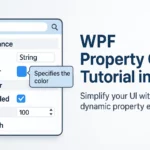
This article provides a beginner-friendly guide to implementing a property grid in WPF applications using C#. It explains how to automatically generate UI controls based on class properties and attributes like Category, DisplayName, and Description. The tutorial includes practical code examples for setting up and customizing the property grid, highlighting its advantages such as simplicity, code reduction as well as noting limitations like limited customization and event handling challenges.
Getting Started with WPF in C#: The Ultimate Guide for Beginners

I’ve been working with WPF for years now, and trust me, it’s absolutely revolutionary compared to the older Windows Forms technology. WPF introduces a completely different approach to UI development that separates design from logic through XAML. This separation is game-changing for developers who want to create modern, responsive applications.